ویدیوهای برتر
Dona a DMP con Paypal: https://www.paypal.me/DMperformerYouTube
Carissimi amici miei, followers, appassionati, disneymaniaci e chi più ne ha più ne metta, bentornati. Beh a onor del vero dovreste dirmi voi "Bentornato" perché, salvo pochi altri video diversi dal solito, non mi faccio vivo con un bel FanDub canterino da 9 MESI ABBONDANTI e un po' tutti sapete il perché di questa mia assenza assolutamente cosciente e voluta. Bene, dopo tanta attesa sono sicuro che apprezzerete questa mega rimpatriata di gente che ho organizzato per mettere su il Primo #FanDub Italiano Completo di #NonSiNominaBruno da #Encanto, l'ultimo classico d'animazione di casa Disney. Anche questa volta, un po' come fu per Oceania, ammetto che alla prima visione tanto il film quanto le canzoni non mi avevano colpito gran che. Ricordo bene però che quando è partito questo brano le mie spalle hanno cominciato a muoversi da sole e forse già lì avrei dovuto capire qualcosa: cioè che nonostante il mio "ritiro" non avrei potuto resistere al lungo senza mettere mano all'ennesima genialata musicale firmata Disney/Lin-Manuel Miranda ed è bastata, anche stavolta, una telefonata del mio buon amico Federico perché la pulce che già avevo nell'orecchio si trasformasse in pachiderma! Certo non era una cosa facile perché, per quanto in due ci si potesse dividere i ruoli di Felix e Camilo, rimaneva tutto il resto del cast da cercare/distribuire e, pur volendolo fare per divertimento, non potevo andare sui primi nomi che passavano. Nel giro di due giorni ho fatto una serie considerevole di messaggi scritti e vocali su whatsap a un bel po' di gente e già partiva la frenesia per sapere chi si sarebbe detto disponibile o meno (perché già mi ero fatto il mio film immaginando ognuno dei personaggi affidato a questa o quella persona); addirittura stavo in volo quando ho scritto il messaggio per proporre l'idea a Luna (messaggio che le sarebbe arrivato solo all'atterraggio) per poi scoprire che lei aveva avuto la stessa idea e di lì a qualche giorno mi avrebbe contattato per propormela ma.... ahahah stavolta sono arrivato prima io (grazie grazie grazie per aver voluto essere dei nostri Amikaaaaa). E beh... tutto quel che è successo dopo potete ben immaginarlo. Non so descrivervi invece la gratitudine che ho per i miei carissimi amici che hanno accettato di intraprendere questo follemente scatenato viaggio insieme a me, così come non potete immaginare la soddisfazione una volta conclusi tutti i lavori di incisione, missaggio e montaggio.
Anche stavolta ho voluto essere maniacale all'inverosimile, non solo cercando di trovare persone con timbri vocali quanto più simili agli originali della versione italiana ma anche replicando per quanto possibile lo spostamento delle voci sui canali destro e sinistro seguendo i movimenti dei personaggi sullo schermo, proprio come nel film sebbene lì ovviamente abbiano lavorato su un sistema di canali infinitamente superiori ai 2 dello stereo (e per questo vi consiglio di ascoltare il video rigorosamente in cuffia o comunque con un buon impianto stereo). Che dire di più? Anche stavolta è stata dura ma divertente, tanto tanto. Una vera gioia vedere questo progetto prendere forma e spero che ne dia tanta anche a voi guardandolo. Per altro, di tanto in tanto, mi è passato per la mente il pensiero per cui forse il canale potrebbe andare in questa direzione: molti meno video si ma tutti di grandissime collaborazioni, creare contenuti molto corali in cui coinvolgere quanta più gente possibile, chissà... Staremo, anzi starete a vedere.
Un mega abbraccio da parte di tutti noi e buon divertimento!!!
I LINK DI VALENTINA (LaVaLend)
YOUTUBE: https://www.youtube.com/channe....l/UCzq-847MMCEzx28Se
INSTAGRAM: https://www.instagram.com/la_va_lend/
TIKTOK: https://vm.tiktok.com/ZML86DpcD/
I LINK DI LUNA
INSTAGRAM: https://www.instagram.com/thisislunamusic/
YOUTUBE: https://www.youtube.com/user/HeyHoneyMoon
FB: https://www.facebook.com/HeyHoneyMoon
I LINK DI ARIANNA
INSTAGRAM: https://www.instagram.com/arianna_craviotto/
TIKTOK: https://vm.tiktok.com/ZMeUKpcqK/
I LINK DI FEDERICO
INSTAGRAM: https://www.instagram.com/federico.piccione/
YOUTUBE: https://www.youtube.com/user/Crazyheric
I LINK DI FRANCESCA
INSTAGRAM: https://www.instagram.com/francesca_ragno/
TIKTOK: https://vm.tiktok.com/ZML8Y2rma/
FB: https://www.facebook.com/francesca.ragno.12
I LINK DI ALBERTO
INSTAGRAM: https://www.instagram.com/albertopagnotta/
TIKTOK: https://vm.tiktok.com/@alberto_pagnotta
YOUTUBE: https://www.youtube.com/user/AlbertPagnos88
I LINK DI MARIKA
INSTAGRAM: https://www.instagram.com/marika_barbieri/?hl=it
YOUTUBE: https://www.youtube.com/c/MarikaBarbieri
FB: https://www.facebook.com/marikabarbierivoice
I MIEI LINK
FB: https://www.facebook.com/group....s/DavideMarcheseOffi
INSTAGRAM: https://www.instagram.com/davidmarkdj/ #DavideMarchesePerformer
SOUNDCLOUD: https://soundcloud.com/david_mark_dj
Music video by Sharon Laloum, Julian Ortiz Cardona, Angèle Humeau, Tom Almodar, Kaycie Chase, Camille Timmerman, Encanto - Cast performing Ne parlons pas de Bruno (De "Encanto: La fantastique famille Madrigal"/Audio Only). © 2021 Walt Disney Records
http://vevo.ly/yrRnPR
#Encanto #FamilyMadrigal
a ytp of the family madrigal from one of my favorite movies right now, Encanto.
subscribe for more unironic content
source: https://www.youtube.com/watch?v=Yp5nPGWWMh4
s**tty second channel: https://www.youtube.com/channe....l/UCVRgoN7QLPM-xuwwG
tiktok: therealjonahwho
letterboxd: https://letterboxd.com/JonahWho665/
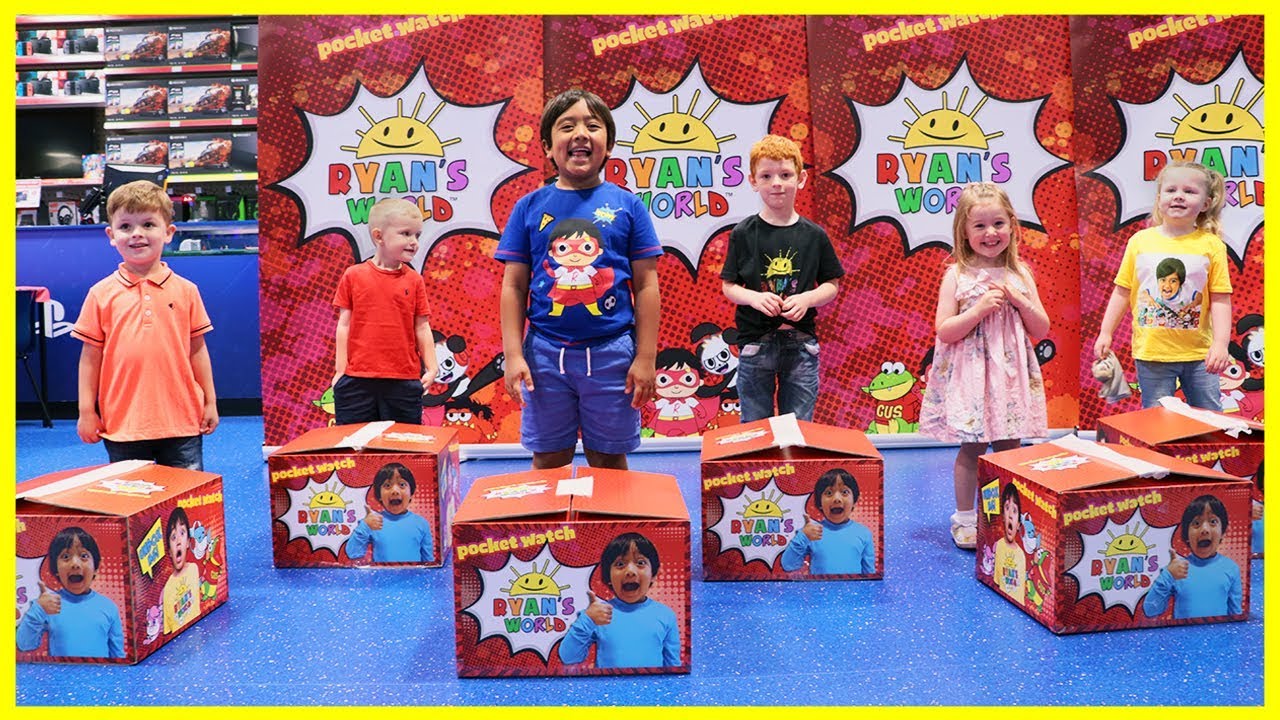
Jannie and Charlotte compete in challenges and games for cool prizes! They really want to win the windmill pin art toy. At the end of the video Charlotte learns that it is nice to share her toys with friends.
Subscribe for notifications to new videos: https://www.youtube.com/channe....l/UCgFXm4TI8htWmCyJ6
Check out our latest videos playlist: https://www.youtube.com/watch?v=fsHnS3mZglg&list=PL5gq3QGk5j3hRwpMNKQ9L5NyUt3FiTmSy
Download the Toys and Colors App:
https://mobileapp.toysandcolors.com/D2ul/youtube
Emma learns how to be a good friend with Eric. They don’t like to do activities that the other likes, but eventually learns that to be a good friend and have a great friendship you must try.
Subscribe for notifications to new videos: https://www.youtube.com/channe....l/UCgFXm4TI8htWmCyJ6
Check out our latest videos playlist: https://www.youtube.com/watch?v=fsHnS3mZglg&list=PL5gq3QGk5j3hRwpMNKQ9L5NyUt3FiTmSy
Download the Toys and Colors App:
https://mobileapp.toysandcolors.com/D2ul/youtube
Digital Marketing | How to send 2000 emails Free? | Email Marketing Explained
How to Contact ME?
Facebook: https://www.facebook.com/HishamSarwarBeingGuru/
Instagram: https://www.instagram.com/hishamsarwar/
Twitter: https://twitter.com/beinggurudotcom
LinkedIN: https://www.linkedin.com/in/hishamsarwar/ - bsocially
Complete Playlist of Digital marketing course (20 FREE lessons): https://www.youtube.com/playli....st?list=PLifnQOsGyOS
Join Aweber and Drip using our special link for Discount: http://bit.ly/2C2YKG7
Lesson-1: Introduction to Digital Marketing : https://youtu.be/wfOp0lsCXAY
Who is ankur aggarwal?, meet your trainer: https://youtu.be/CB4o-hFbWoE
Lesson-2: Digital Marketing Modules: https://youtu.be/DqKFjgGvbnU
Lesson-3: How to start your blog.(Hosting,Domain name): https://youtu.be/FgtB4fWIjRE
Lesson-4: Set up your blog like a professional blogger: https://youtu.be/ZjVoShBahRg
Lesson-5: Driving traffic to your Blog/Website (Various Channels): https://youtu.be/ZCRNCNDm8MQ
Lesson-6: What is SEO: What is On page SEO and how to write an article: https://youtu.be/N8DhIndTi6E
Lesson-7: Off-page SEO – What are Backlinks? (My working strategies revealed): https://youtu.be/QYrupSGZ3B8
Lesson-8: Master the basics of Google Analytics and Google Webmaster: https://youtu.be/i8EgzE0QU6Y
Lesson-9: Affiliate Marketing (How i make $3-10k/month): https://youtu.be/SLE72I-2lv8
Lesson-10: How to start Social media marketing – (5 essential working tips for beginners): https://youtu.be/TzATuJefUkc
Lesson-11: Instagram marketing step-by-step : How to get 10,000 followers in 30 days: https://youtu.be/7NHOzZyDqDw
Lesson-12: Youtube Marketing explained in 13 minutes (Backed by data):https://youtu.be/wc0PV2z_04o
Lesson-13: Facebook Ads in 2019 : From Facebook Ads Beginner to EXPERT: https://youtu.be/x01Xv_Vqxw8
Lesson-14: Google Adwords Fundamentals : How to create your first campaign: https://youtu.be/fVJ1QS2_K4c
Lesson-15: Content Marketing: Hidden tactics and strategies: https://youtu.be/thpmu3i1-Kg
Lesson-16: Email Marketing for beginners ($0 to $10,000/month) – Case studies included: https://youtu.be/IwayrUN9R4A
Lesson-17: Landing page: How to Make a Beautiful landing page : https://youtu.be/Pk0USzDxfsg
Lesson-18: ORM – What is online reputation management: https://youtu.be/rtWs2CJ6H90
Lesson-19: Freelancing: How to make money as a freelancer (Tips and tricks): https://youtu.be/iWR3se1Y1UU
Lesson-20: How to get Digital Marketing job? : https://youtu.be/um1KoEkjk6I
Follow me on Instagram to join me on Live Sessions for Q/A and doubt removal: http://bit.ly/2HbZOej
Subscribe to our youtube channel for more free courses (I launch 2 free courses each month): https://www.youtube.com/channe....l/UC-7zF4kZkadrzJIxx - bsocially
How to Create your First Email Marketing Campaign! | Producer Marketing Playbook
In this first episode of the Producer Marketing Playbook, we'll go over creating a welcome email that will keep your audience interested in hearing from you and looking out for future offerings. We'll also discuss how to create follow-up emails that will help you convert more sales.
00:00 - Intro
00:35 - How to Build a List of Contacts
02:08 - Why you need to send welcome emails
02:51 - Create your welcome email
07:55 - Create an email campaign for buyers
connect with BeatStars here ⬇️
http://www.instagram.com/beatstars
http://www.twitter.com/beatstars
http://www.facebook.com/beatstars
http://www.linkedin.com/beatstars
http://www.twitch.com/beatstars
http://www.youtube.com/beatstars
email marketing, email marketing for beginners, email marketing campaign, email marketing tips, email marketing strategy, email marketing tutorial,how to do email marketing, email marketing strategies, mail chimp, beatstars, producer marketing playbook, create a welcome email, email marketing 2021, how to use Mailchimp, how to send emails - bsocially
In this Mailchimp Tutorial 2021 I will show you step by step how to use Mailchimp for email marketing!
Mailchimp Alternatives ▶ https://youtu.be/WE4A-cTWonA
? Subscribe to MeticsMedia ▶ https://meticsmedia.com/subscribe
? Best Online Marketing Tools ▶ https://meticsmedia.com/tools
0:00 Sign Up For Mailchimp
4:02 Dashboad Overview
7:04 Initial Setup
15:11 Import Contacts
19:38 Sign Up Forms (Pop-up)
30:17 Sign Up Forms (Embedded)
41:00 Landing Pages
55:30 Welcome Email (automated)
1:04:36 Mailchimp Automation (Demo)
1:08:41 Newsletter Email (Broadcast)
Mailchimp is one of the most popular email marketing softwares on the market. It has a very attractive and capable free plan that you can use with up to 2000 email subscribers. In this mailchimp tutorial for beginners you'll learn exactly how to use mailchimp for email marketing: Specifacally you'll learn how to set up mailchimp, how to connect mailchimp to wordpress and create sign up forms, how to create a landing page in mailchimp, how to use mailchimp to send bulk emails and how to use mailchimp automation.
If you have any questions at any point, leave them in the comments below and I'll try to help out!
Subscribe ▶ https://www.youtube.com/channe....l/UCuwpzP90g1LuGk6JU
Check out more videos:
Email Marketing ▶ https://www.youtube.com/playli....st?list=PLZppeoE5S1u
Affiliate Marketing ▶ https://www.youtube.com/playli....st?list=PLZppeoE5S1u
eCommerce ▶ https://www.youtube.com/playli....st?list=PLZppeoE5S1u
Sales Funnels ▶ https://www.youtube.com/playli....st?list=PLZppeoE5S1u
Youtube ▶ https://www.youtube.com/playli....st?list=PLZppeoE5S1u - bsocially
A complete step by step guide on how to do profitable email marketing. You will learn EVERYTHING you need to know to create a profitable email list in this tutorial for beginners.
Tools I Use In This Course
Best Email List Builder: https://franklin.live/email (Free 30 Day Trial)
Thrive Suit: https://franklin.live/leads
Follow Me For FREE Weekly Training!
?Subscribe to Frank! https://www.youtube.com/channe....l/UCmMM03CkbXnu6TuDe
?️Best Online Deals! https://franklin.live/BestDeals
I will be showing you in this tutorial how to do email marketing in 2021. Email marketing is one of the best ways to make money in your business. You can broadcast emails to your list whenever you like to promote your offers or build a relationship.
When building your email list you need to make sure you sue the right email marketing software. I use GetResponse because I think it's the best for beginners. I have been using this for over 5 years now and it's very profitable for me. This email marketing course for 2021 will show you how easy it is to setup and use.
I've created this free course because I want to show you every step you need to take to build an email list. building up a customer base with you own list of buyers is going to help you grow you business online. You can send emails to promote new products. Email marketing is one of the best ways to make money online and if you don't do it you are leaving money on the table. Watch this tutorial for beginners to get started.
?GetResponse Training: https://youtu.be/zNu0AYgaT2Y
?Funnel Training: https://youtu.be/ChI5CC1q09E
??Resources I Use In My Business??
* Best Email List Builder: https://franklin.live/email
* Blog Themes: https://franklin.live/freetheme
* Thrive Suit: https://franklin.live/leads
* Youtube SEO: https://franklin.live/tubeseo
⬇️More Tutorials
Get Traffic: https://youtu.be/MCVw61ZI0m4
Make Money With TikTok: https://youtu.be/srl8mKt2Nbo
Clickbank Tutorial: https://youtu.be/_UHV9d5EyQU
3:56 - Best Email System To Use
5:50 - GetResponse Pricing
8:23 - Website Lead Form Examples
9:43 - Where To Find lead Magnets
10:17 - What To Use To Collect Emails On Website
13:30 - Connect GetResponse To Thrive
14:00 - Created Lead Form Popup
16:50 - Create Email List
20:19 - Create Automation Workflow
23:10 - Create Optin Form On Landing Page
DISCLOSURE: Some of the links here are affiliate links. This means at no additional cost to you, I may earn a commission if you click through and make a purchase. These commissions help me create free valuable videos like these.
You can assume that I will receive a commission for anything I recommend. Any earnings or income representations are aspirational statements only and results are not typical. There is no guarantee that you’ll receive the same results or any results at all. Your results will depend entirely on your work ethic. These videos are for educational purposes only. I'm also not a financial advisor. - bsocially
Want to build an email list FAST? Watch this!
I grew my email list from 0 to 15,000 in less than 6 months. In this video, I show you step by step how to build an email list on social media, how to build an email list on youtube, and how to create an email list in general.
This video will also cover the best email list software, a short tutorial on how to collect email addresses on website, PLUS ideas on how to build an email list WITHOUT a website. So if you want tips to grow an email list, including how to build an email list for free, you are definitely in the right spot to learn how to build email list fast (or how to build email list from scratch)..
Trust me, email list building shouldn't be hard. That's why I know after you learn my email list building strategies, you will 10x your email list building efforts!
HOW TO BUILD AN EMAIL LIST FROM SCRATCH (0 TO 15,000+ EMAIL SUBS!)
#ONLINEMARKETING #EMAILMARKETING #ONLINEBUSINESS
ALL FREEBIES MENTIONED:
*** DOWNLOAD THE E-MAIL BUILDING LIST GUIDE ***
https://resources.vanessalau.c....o/email-list-buildin
***DOWNLOAD THE YOUTUBE GUIDE (MUST HAVE FOR ALL YOUTUBERS) ***
https://resources.vanessalau.c....o/youtube-optimizati
**DOWNLOAD YOUR INSTAGRAM GUIDE WITH ALL THE HACKS (DETAILED)**
https://resources.vanessalau.co/instagram-hacks/
*** FREE GUIDE ON BASIC START UP COSTS OF ANY ONLINE BUSINESS ***
https://resources.vanessalau.co/start-up-costs
***DOWNLOAD THE FREE GUIDE ON HOW TO NEVER BE REJECTED FOR A COFFEE CHAT***
https://resources.vanessalau.co/coffee-chat-guide
**YOUTUBE EQUIPMENT I USE**:
Backdrop Stand:
https://geni.us/h9MrO
White backdrop:
https://geni.us/7OqE
Cameras (Vlogging + Filming - I have 2 types!):
https://geni.us/zlOPGJ
https://geni.us/HRmBmcs
Camera Stand:
https://geni.us/5fBkQ
Voice Over Microphone:
https://geni.us/DcFD
Wireless Microphone (perfect for outdoor shoots or more flexibility in general!):
https://geni.us/OF4rk9
Camera Plug-In Charger (to keep your camera running all the time without it dying):
https://geni.us/xkLCY
Camera Remote:
https://geni.us/BszM7eh
Disclaimer Vanessa is a participant in the Amazon Services LLC Associates Program, an affiliate advertising program designed to provide a means for sites to earn advertising fees by advertising and linking to www.amazon.com.
SAY HI ON SOCIAL:
Website: https://www.vanessalau.co
Instagram: https://www.instagram.com/vanessalau.co
LinkedIn: https://linkedin.com/in/vanessaoglau/
**PS: NEW TRAINING TO TURN YOUR FOLLOWERS INTO CLIENTS: **
https://followerstoclients.link/free - bsocially
MailChimp FREE Email Marketing Tutorial with Templates, Automation & WordPress eCommerce Features 2021
★ ----- Top 3 Best Hostings----- ★
#1 SiteGround --- https://bloggdude.com/sg (Get 60% OFF Link)
#2 FastComet Hosting -- https://bloggdude.com/fc (70% Discount)
#3 A2 Hosting --- https://bloggdude.com/a2 (Get 51% OFF Link)
#Form Style --- https://bloggdude.com/wp-conte....nt/uploads/2021/02/S
--------------------------------------
In this Tutorial I will cover both Basic & Advanced Features of MailChimp like..
* Automated Campaigns
* eCommerce related Features
* Automatically Welcoming new Subscribers.
* Send Thank You / Coupon Code to first Time Buyers - Automatically
* Scheduled Campaigns
* Reading eMail Marketing Campaigns Analytics
* Abandoned Cart Follow Up
* Creating Newsletter Forms, PopUps and Smart Bar
* And Many more things.
And Everything is Absolutely FREE!
--------------------------------------
☑ Watched the video!
☐ Liked?
☐ Subscribed?
--------------------------------------
☑ Instagram -- https://www.instagram.com/nayyar_shaikh/
☑ Twitter -- https://twitter.com/realnayyar
☑ Facebook -- https://www.facebook.com/bloggdude
--------------------------------------
00:00 Introduction
00:57 Signup for MailChimp
05:37 Audience List Settings
12:40 Creating Newsletter Templates
30:09 Intergrade MailChimp with Website
32:35 Create Newsletter Signup Form
38:26 Creating Pop-ups with Hustle Plugin by WPMU Dev
49:21 Creating Plain Text Email Marketing Campaign
54:24 Regular Newsletter Campaign
58:34 Automation Campaign - Welcome New Subscribers
01:02:09 eCommerce Automation - Connect Website
01:05:26 Automatically Thank your First time Customer
01:13:17 Abandoned Cart Follow Up
Note: Some of the above links are Affiliate Links, Which Means I earn Some Commission through that Which helps me Keep Making these Free Videos for You.
#wordpress #mailchimp - bsocially
? FREE Sendinblue Account ▶ https://meticsmedia.com/sendinblue
In this Sendinblue Tutorial I will show you step-by-step how to set up your Sendinblue account, how to create a sign up form and how to set up your email automation in Sendinblue!
Sendinblue Alternatives ▶ https://youtu.be/WE4A-cTWonA
How to Insert Form on WordPress Website ▶ https://youtu.be/jYGtqhEeoi8?t=1265
? Subscribe to MeticsMedia ▶ https://meticsmedia.com/subscribe
? Best Online Marketing Tools ▶ https://meticsmedia.com/tools
0:00 Intro
1:00 Sign up
4:15 Import contacts
8:59 Account validation
9:43 Add branded email address
11:25 Sign up form
17:02 Email automation
25:47 Email campaign
30:14 Email Statistics
Sendinblue is a good and inexpensive email marketing software, especially for people who have a lot of contacts but don't send emails every day. However, starting out using a new email marketing software can always be a bit overwhelming. This sendinblue tutorial should help you getting started setting up your sendinblue account. I'll walk you through the sendinblue setup and also show you how to set up sendinblue email marketing campaigns and sendinblue automation. I might also do a sendinblue review soon!
If you have any questions, leave them down below in the comment section!
The description of this video may contain affiliate links, which means that if you buy one of the products that I recommend, I’ll receive a small commission without any additional cost for you. This helps support the channel and allows me to continue making videos like this. Thank you for the support! - bsocially
Sendinblue Email Marketing a mailchimp alternative on a lifetime deal
LTD Deal: https://appsumo.8odi.net/4edJyM
Yearly Deal: https://appsumo.8odi.net/jW1zJe
Sendinblue allows you to create beautiful email campaigns, custom landing pages, signup forms, automated workflows, transactional messaging, CRM, and more.
With Sendinblue, building a perfect email campaign that captures the attention of your audience doesn’t have to take weeks.
The interface is intuitive and easy to use. Just drag and drop content into a pre-designed template and wow your audience.
Though beauty is in the eye of the beholder, Sendinblue puts beauty in the eye of anyone who beholds an email from your business. (“If you were words on a page, you’d be fine print.”)
Plus, you can keep track of all your campaigns in the organized dashboard, which provides valuable insights about your marketing channels.
Insights dashboard
Gain valuable insights and manage your marketing channels in the campaign dashboard.
How can you make sure your audience is effectively engaged? You can either put a ring on them, or simply use smart segmentation.
The feature targets smaller subsets of your contacts and aligns your content with exactly what appeals to them, helping you learn about your audience.
You can also schedule campaigns to go out at specific times and use the “best time” feature to align with each recipient’s available time.
By sending out custom communications at carefully curated times, you’ll optimize your audience reach and grow your customer base quicker than the guest list at your cousin’s Greek wedding.
Send time optimization
Schedule campaigns at your time of choice or use the “best time” feature which optimizes for each recipient’s open time.
Like wine and whiskey, your marketing campaign can get better with age.
Sendinblue continually and automatically refines and improves your campaigns as it collects more information about your customers’ online actions.
Sendinblue’s CRM tool helps you get to know your contacts and prospective customers, so you can build more meaningful relationships and increase conversions.
You’ll even be able to automate repetitive tasks to reach the right person at the right time. Who said the robot uprising was all bad?
Powerful and easy-to-use CRM tool
Easily manage your contact list with Sendinblue’s powerful CRM tool.
A perfect landing feels great (just ask Simone Biles)—but a perfect landing page feels even better.
Sendinblue lets you create a stunning landing page without writing a line of code using attractive templates, or design your own for a more targeted visitor experience.
Once visitors have landed on your website, you’ll be able to connect with your audience using personalized chat.
Get ready to match your page to your awesome brand and make a great first impression—without hiring a designer or engineer.
Personalized visitor chat
Chat with visitors and add a personal touch by choosing your name and photo.
Sometimes your marketing campaign gets stalled on the side of the road.
Sendinblue is the friendly neighbor who shows up with jumper cables at 2 a.m. ("you’re a real one, Nancy"), so you can leave the marketing blues behind.
Automate repetitive tasks, create captivating email campaigns, design stunning landing pages, and catapult your business into success.
Get lifetime access to Sendinblue today! - bsocially